

TradingView Introduces AI-Powered Crypto Screener for Users
TradingView has launched a new AI Screener feature for its Crypto Coins Screener, allowing users to build custom searches using everyday language.
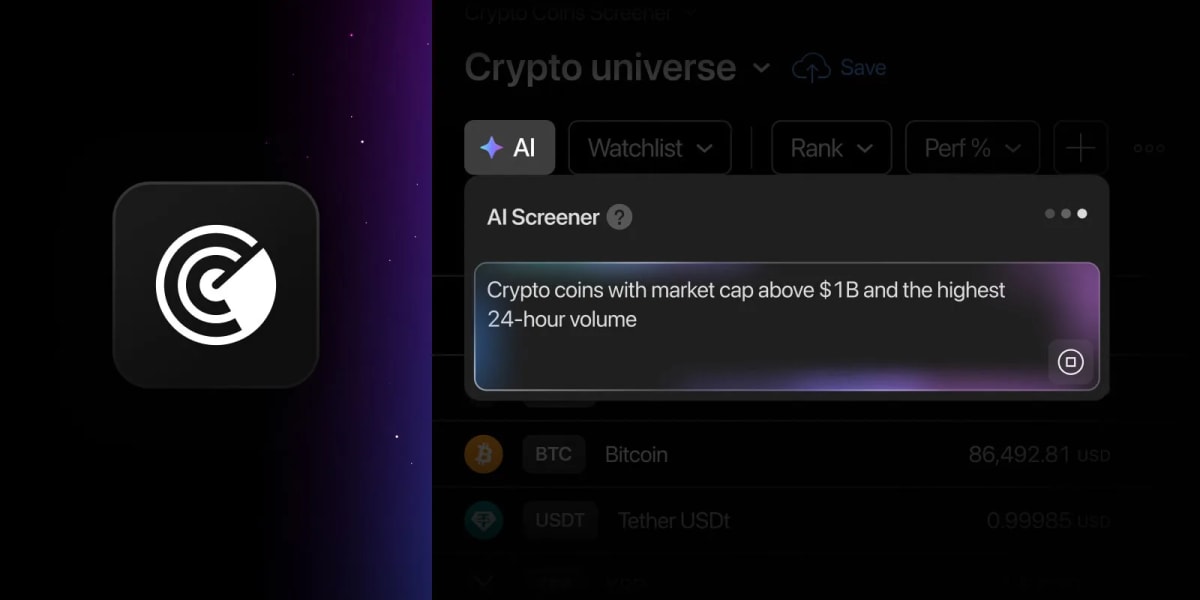
TradingView Launches AI Tool for Crypto Coins Screener
TradingView has expanded its platform capabilities by introducing an artificial intelligence feature to its Crypto Coins Screener. The new addition allows traders to translate everyday language into functioning market filters without configuring individual metrics step by step.
Finding specific digital assets that match particular criteria can often be time-consuming. Traditionally, market participants had to manually configure metrics such as weekly gains or market capitalization thresholds. With the newly integrated tool, users can simply type requests in plain text—such as searching for large-cap coins with positive weekly performance—and the system automatically applies the correct filters, organizes the data table, and sorts the results accordingly.
How the AI Screener Operates
To begin using the tool on tradingview, users can click the designated icon located in the upper-left corner of the filter panel or press the Shift + A shortcut. The system interprets everyday prompts using metrics already built into the Screener.
When a request is processed, the interface automatically brings relevant columns into view and centers the table layout around the primary metric mentioned in the prompt. Furthermore, the platform includes an Explanation feature in the AI panel, enabling users to review how their phrasing was converted into underlying screener conditions and column selections.
Flexibility and Availability
The system is designed to handle imperfect prompts, meaning minor typos or alternative phrasings will not automatically halt a search. The technology attempts to identify the intended metric and provides feedback on how the input was understood.
In addition to desktop availability, the feature can be accessed via mobile web browsers. Platform developers note that requests can be submitted in any language, though optimal results typically occur with English prompts.
Important Considerations for Traders
While the tool is designed to streamline market analysis, users should keep several guidelines in mind:
- Running an AI request replaces any manually configured filters, though the active market remains the same unless specified.
- Request limits vary by subscription tier and can be verified on the platform's pricing page.
- Results are intended strictly to support independent research and should not be treated as financial advice.
For traders who are unsure where to begin, the AI panel features a collection of ready-made prompts—such as looking for low market cap to TVL ratios or bullish MACD crossovers—which can be used freely without depleting monthly request balances. The development team has also encouraged users to share feedback on the update through designated community discussion threads.
Sources: TradingView, Quasa.io, TradingView.
Frequently asked questions
How do you open the AI Screener on TradingView?
What plans include the AI Screener functionality?
Can you check how the AI interpreted your prompt?
Does running an AI request affect manually set filters?
Related stories

Stock Market Schedule: Timing and Details for Diwali Muhurat Trading
Dalal Street is preparing for a special Sunday trading session to mark the Hindu financial year. Discover the schedule and key timings.

Tanishq and Malabar Gold Rates Update for Dhanteras Market Purchases
Households across India check latest 22K and 24K prices as Tanishq and Malabar Gold announce rates for Dhanteras purchases.

HDFC Bank Share Rally Crosses Milestone With Strong Market Gains
HDFC Bank shares extended a four-session winning streak to push the lender's market capitalization past ₹12 lakh crore. Discover the latest updates on market performance and…

Joyalukkas Group Allocates Rs 100 Crore For Charitable Initiatives
Joyalukkas Group has announced a Rs 100 crore allocation to expand its charitable programs across India, focusing on housing, healthcare, and education.